For lawn care, cleaning, junk removal and every trade with a truck
Run your whole service business from your phone.
Quotes, scheduling, invoices, texting and getting paid in one simple app, with AI that answers customers while you're on the job.
No card needed. Free plan after the trial. Set up in about 10 minutes.
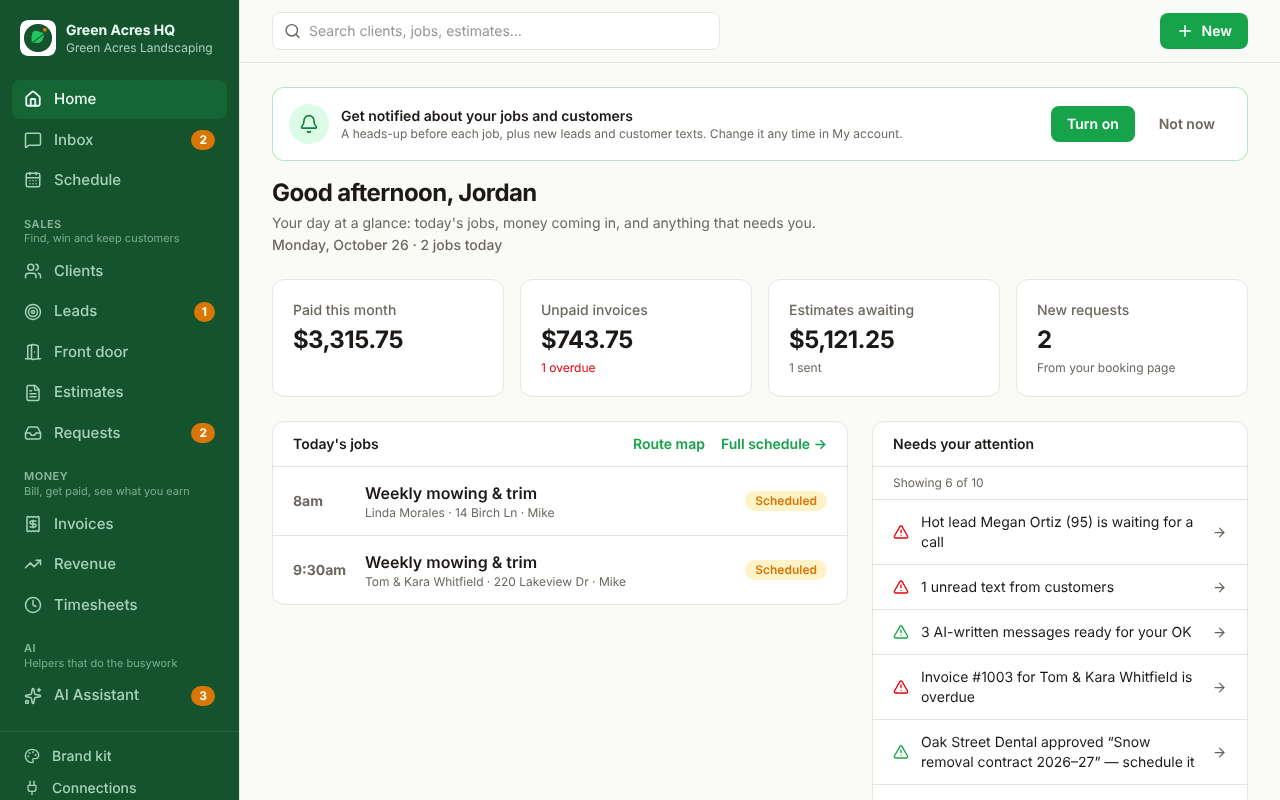
Everything from the first call to the final payment
One app instead of a notebook, a calendar, a spreadsheet and a pile of texts.
Win more jobs
A get-a-quote page for your website and Google profile. Every lead is scored hot, warm or cold and gets an instant text back, so you answer the good ones first.
Quotes approved in one tap
Send a clean quote by text or email. Customers approve from their phone, and can pay a deposit right then.
A schedule the crew can follow
A weekly schedule color-coded by crew, repeating jobs, today's route in driving order, checklists and before and after photos from the job site.
Get paid faster
Customers pay invoices by card, Apple Pay or Google Pay. Save cards for autopay after every visit or on a monthly plan.
AI that works while you do
Texts back missed calls, turns voicemails into leads, drafts replies and follow-ups, and answers "who still owes us?" in plain English.
Know your numbers
Money collected, what's owed, which lead sources pay off, and crew hours ready for payroll.
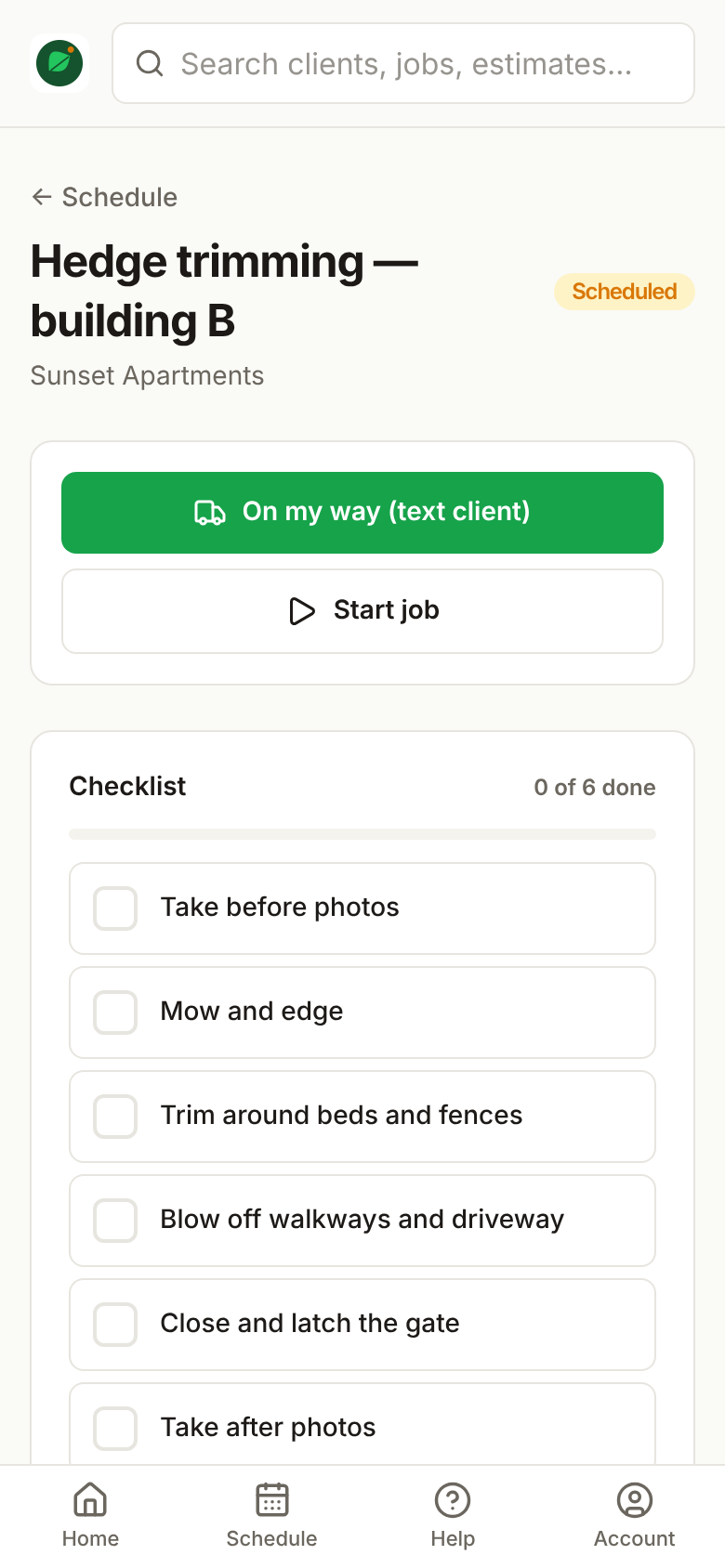
Your crew's day, in their pocket
- Today's jobs in driving order, one tap to navigate
- "On my way" texts to the customer
- Checklists and before and after photos
- Clock in and out for easy payroll
- Your own logo on their home screen (Crew and Pro)
Switch from Jobber or Housecall Pro in about 10 minutes
Bring your customers
Download a spreadsheet from Jobber, Housecall Pro, QuickBooks or anywhere else and upload it. Columns are matched for you.
Connect your lead sources
Thumbtack, Angi, Facebook, Google and your website send new leads straight in.
Invite your crew
Each person gets their own login and sees only their own jobs, with no prices or settings.
Simple pricing that grows with you
Start with 14 days of everything, free. Pay yearly and get 2 months free.
Free
No card needed
Get organized and get paid
- 1 login, up to 50 customers
- Quotes, invoices and scheduling
- Front door and online booking
- Customers pay invoices by card
Solo
or $490 a year
Owner-operators and a helper
- 2 logins, unlimited customers
- Business number, 500 texts a month
- Automatic reminders, follow-ups and review requests
- Deposits, saved cards and autopay
- Crew photos, checklists, time clock, route map
- AI assistant (100 AI actions a month)
Crew
Most popularor $1,290 a year
Growing teams with a crew
- Up to 5 logins
- Everything in Solo
- 1,500 texts a month
- Full AI (1,000 AI actions a month)
- Your brand: logo, colors, your own phone app
- Lead metrics, API keys, Thumbtack and Angi
- No fee on card payments
Pro
or $2,490 a year
Multiple crews and an office
- Up to 15 logins, then $25 per extra person
- Everything in Crew
- 4,000 texts a month
- AI answers customer texts by itself
- 3,000 AI actions a month
- Priority support
Questions
Is there really a free plan?
Yes. Every new account gets 14 days with everything included. After that you can stay on the Free plan (1 login, up to 50 customers, quotes, invoices, scheduling and card payments) or pick a paid plan.
Do I need a credit card to start?
No. You only add a card if you choose a paid plan.
Can I move my customers over from another app?
Yes. Export a spreadsheet from your current app and upload it on the Connections page. Duplicates are skipped, and you can undo an import.
Does it work on my phone?
Yes. Yardova works in any phone browser and installs to your home screen like an app, with your own logo on Crew and Pro plans.
How do customer payments work?
You connect your own Stripe account, so card payments go straight to your bank. You can also show PayPal, Venmo, Cash App, Square or Zelle on every invoice.
Can I cancel any time?
Yes. There are no contracts. If you cancel, your account moves to the Free plan and nothing is deleted.
Spend less time on paperwork and more on the job.
Try every feature free for 14 days. No card, no contract.