Crew Scheduling for Service Businesses: A Simple System
A practical crew scheduling system for small service businesses: plan the week, route crews, handle rain days and keep customers and crews in sync.
The Yardova team · October 26, 2026 · 16 min read
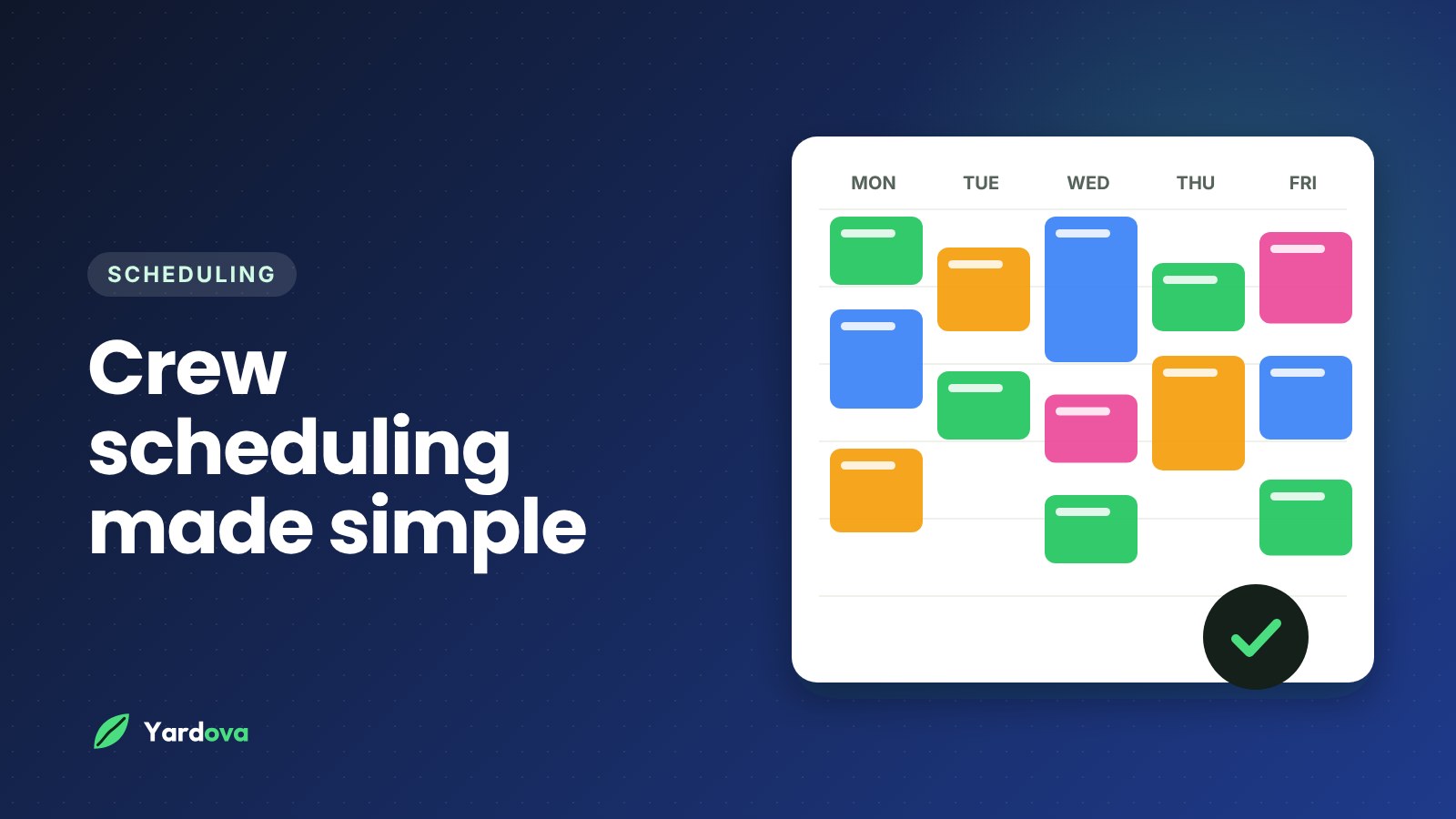
Crew scheduling is where a lot of small service businesses quietly lose hours every week. It shows up as phone calls asking for addresses, two trucks driving past each other on the highway, a customer who forgot you were coming, and a whiteboard that is out of date by 9am.
None of that is a people problem. It is a system problem. When the schedule lives in the owner's head, the owner becomes the bottleneck for the whole company.
This guide lays out a simple, repeatable system you can run with one truck or six. It covers how to plan the week, build routes that make sense, assign the right people, handle rain and call-outs, keep customers informed and use your time records to get better every month. It works for lawn care, cleaning, junk removal, pressure washing, pest control, pool service, painting, tree work and the trades.
What good crew scheduling actually looks like
Before changing anything, it helps to know what you are aiming for. Good crew scheduling is not a perfect color-coded calendar. It is a schedule that holds up on a real Tuesday, when a mower breaks, a customer cancels and a new lead calls asking if you can come this week.
Here is what a healthy schedule tends to have in common:
- The week is mostly planned before it starts. Recurring work is locked in and one-time jobs are slotted around it.
- Each crew stays in one part of town per day. Drive time is low and predictable.
- Every crew member can see their own day on their phone. Addresses, notes, checklists and photos are right there.
- Changes happen in one place. When a job moves, everyone sees the new version, not an old screenshot.
- Customers know when you are coming. They get a confirmation, a reminder and a heads-up when the crew is on the way.
- You know how long jobs really take. Hours are tracked, so your estimates and quotes get more accurate.
Most owners build their schedule one phone call at a time and never step back to design it. The rest of this guide is about designing it on purpose.
Signs your crew scheduling needs fixing
You probably already feel it, but these are the common symptoms:
- Crews call or text you more than once or twice a day asking where to go next.
- You regularly drive the same road twice in one day.
- Customers say "I didn't know you were coming today."
- Jobs get skipped or half-finished because nobody knew about the extra request.
- You spend Sunday night rebuilding the week from scratch.
- Payroll means collecting paper timesheets and guessing at missing hours.
Each of those has a specific fix, and none of them require working longer days.
How to build a weekly crew schedule step by step
The single biggest shift is planning the week ahead instead of solving each morning as it comes. Here is a weekly process that takes most owners 20 to 40 minutes once it is set up.
- Start with your recurring work. Weekly mowing, every-other-week cleaning, monthly pest control, weekly pool visits. These are the backbone of the schedule, so they go on first.
- Group the recurring work by area. Look at where those customers are and assign neighborhoods to days. More on this below.
- Add one-time jobs into the gaps. Cleanups, removals, installs, estimates and repairs go into days where the crew is already working nearby.
- Check capacity crew by crew. Add up the expected hours for each crew each day. If one day is packed and the next is light, move flexible jobs now.
- Leave a buffer. Keep some open time each day, or one lighter day each week, to absorb jobs that run long, weather and urgent calls.
- Assign people, not just crews. Make sure each job has the right number of people and the right skills on it.
- Confirm with customers. Send booking confirmations for anything new and let reminders go out the day before.
- Publish it. The finished week should be visible on every crew member's phone, not just on your desk.
Do this on the same day every week. Thursday or Friday afternoon works well and avoids the Sunday-night scramble.
A simple weekly crew schedule template
If you are still on paper or a spreadsheet, this structure works well. For each day, write:
- Crew name or color (for example, Crew A in blue, Crew B in green)
- Area for the day (north side, downtown, the east suburbs)
- Stops in driving order, each with address, time window and job type
- People assigned to each stop
- Estimated hours for each stop and a total for the day
- Buffer left over at the end of the day
Even on a whiteboard, adding "area for the day" and "estimated hours" to each crew's column makes overloaded days easy to spot.
Recurring job scheduling: set it once, stop rebuilding it
Recurring work is the most valuable part of most home-service businesses, and it is also the easiest part of crew scheduling to automate. If you are retyping the same weekly customers every week, you are doing work a system should do for you.
How to set up recurring jobs
Every recurring customer should have three things defined:
- Frequency. Weekly, every other week or monthly are the most common patterns.
- Preferred day. Ideally the day their neighborhood is already scheduled.
- Standard scope and time. What gets done each visit and roughly how long it takes.
Once those are set, the job should repeat automatically. Your only job each week is to handle exceptions: skips, add-ons and weather.
Tips for recurring schedules by trade
- Lawn care: Weekly in peak season, every other week in slower months. Keep customers on the same day of the week so they know when to expect you and you can keep routes tight. Our guide on how to get more lawn care customers covers filling those routes.
- Cleaning: Every other week is common. Try to keep the same team on the same homes, because customers notice and appreciate it.
- Pool service: Weekly visits on fixed days work best, since chemical balance depends on consistent timing.
- Pest control: Monthly or quarterly plans. Bundle visits by area so one tech can cover a neighborhood in a single day.
- Pressure washing: Often seasonal. Treat it as recurring so you book it before the customer calls someone else.
Route planning for service businesses: cut drive time
Drive time is unpaid time. Every extra 20 minutes on the road per crew per day adds up to real money in fuel and wages over a season, and it is the easiest waste to remove.
Assign neighborhoods to days
The simplest form of route planning is zoning. Split your service area into a few zones and give each zone one or two set days.
For example, a three-crew lawn company might run:
- Monday and Thursday: north side
- Tuesday and Friday: south side
- Wednesday: east side plus one-time jobs and catch-up
Recurring customers get a consistent day, crews learn their zones, and new customers are easy to place.
Put each day's stops in driving order
Within a day, order the stops so the crew loops through the area instead of zigzagging. Start at the stop closest to the shop or yard, move outward, and come back toward home at the end of the day.
A rough order is far better than none. If your scheduling tool can show the day's stops in driving order with one-tap directions, crews stop guessing and stop calling you for the next address.
Book new customers into existing routes
When a new lead comes in, look at where they are before you offer a time. If they are near an area you already work on Tuesdays, offer Tuesday. It is more efficient for you, and the customer often gets a sooner appointment than they expected.
Be careful with one-off far-away jobs
A single job across town can wreck a crew's whole day. Either price it to cover the drive, batch it with other work in that area, or schedule it on your flex day. If you run junk removal, this matters even more, since dump trips add another leg to the route. Our guide on how to price junk removal covers building travel and dump fees into the price.
How to assign the right people to each job
Crew scheduling is not just about where and when. It is also about who. Putting a two-person job on a solo tech, or sending your newest hire to your pickiest customer, creates problems no route can fix.
Match the job to the crew
When assigning work, think through:
- Size of the job. Large cleanouts, tree removals and full-house painting often need more than one person. Assign multiple people to a single job when needed so everyone sees it on their phone.
- Skills and licenses. Some work needs a specific person, like a certified applicator for pest control or the person who knows how to run the stump grinder.
- Equipment. Make sure the crew assigned has the trailer, ladder, sprayer or truck the job needs.
- Customer history. If a customer always asks for the same cleaner or the same tech, keep them together when you can.
Use colors to see the week at a glance
Color-coding the schedule by crew is a small thing that makes a big difference. One look at the week tells you whether the blue crew is overloaded on Wednesday or whether the green crew has an empty afternoon on Friday.
Control what crews can see
Your crew needs addresses, notes and checklists. They do not necessarily need to see your prices, your other crews' routes or your full customer list. Good field service scheduling tools let you set roles and permissions so each person sees only their own jobs and only the details you choose.
What every crew needs on their phone
Most "where am I going?" and "what am I doing here?" calls happen because information lives with the owner. Fix that, and your phone gets a lot quieter.
Crew scheduling checklist for every job
Use this checklist to make sure each job is ready before the crew rolls out:
- Customer name and a way to reach them
- Full address with one-tap directions
- Time window and the date the customer was told
- Scope of work in plain language
- A step-by-step checklist of tasks for the job
- Access notes: gate codes, lockbox, where to park
- Safety notes: dogs, sprinkler heads, low branches, fragile areas
- Photos from the customer or from the last visit
- Any extras the customer added since booking
- Who else is assigned to the job
If any of those are missing, the crew either has to call you or guess. Both cost time.
Use checklists so nothing gets skipped
Checklists are not about micromanaging. They protect your reputation. A cleaning crew that has "inside microwave" on the list will not forget it. A lawn crew that sees "trim around the back fence, customer asked last time" will not skip it twice.
Take before and after photos
Ask crews to take before and after photos on every job, plus photos of anything unusual. Photos settle disputes ("the fence was already damaged"), help you quote similar work and show the next crew what the property looks like.
How to handle rain delays, call-outs and other changes
Changes are part of the job. The goal is not to avoid them. It is to handle them in one place, quickly, so nobody works from old information.
How to handle rain delays
Weather is the most common reason a schedule falls apart. Have a standard rain-day plan before you need it:
- Decide by a set time, such as 6am, whether the day is a go.
- Move affected jobs to the next open day or your flex day, keeping recurring customers in the same order.
- Text affected customers with the new day.
- Let crews know the new plan through the schedule, not a group text that gets buried.
- Look at the rest of the week and rebalance if one day is now overloaded.
Recurring visits can usually shift back a day without breaking the pattern. Next week they return to their normal day.
When someone calls out sick
Have a short priority list for what gets moved first. Recurring customers with tight expectations, jobs with deposits paid and time-sensitive work usually stay. Flexible one-time jobs and estimates move. Reassign the remaining jobs to another crew and update the schedule so they see the new stops in order.
When a job runs long
It happens. The crew should be able to see their next stop and send an "on my way" text when they leave, so the next customer is not left waiting and wondering. If a job is going to push the whole day, decide early which stop moves rather than letting the last customer get skipped at 6pm.
Add-ons and cancellations
When a customer calls to add a hedge trim or cancel a visit, update the job right away. If the schedule lives in one shared system, the crew's phone updates too. No more calling around, and no more crews showing up to a cancelled job.
Keep customers in the loop automatically
A lot of crew scheduling headaches are really communication headaches. A few automatic messages fix most of them and cut down on the calls that interrupt your day.
The three messages every service business should send
- Booking confirmation when the job is scheduled, with the date and time window.
- Day-before reminder, so gates are unlocked, cars are moved and pets are inside.
- "On my way" text when the crew heads to the property.
Fewer customers forget and fewer crews arrive to locked gates.
Example day-before reminder template
Here is a simple reminder you can copy and adjust:
Hi Maria, this is Green Valley Lawn. Just a reminder we're scheduled to be at 42 Elm Street tomorrow between 8 and 11am. Please unlock the side gate and keep the dog inside if you can. Reply here if anything has changed. Thanks!
And an "on my way" text:
Hi Maria, the Green Valley crew is on the way and should arrive in about 20 minutes. See you soon.
If you text customers automatically, make sure you have their permission and follow current texting rules in your area. Most businesses get consent when the customer books, but it is worth checking the current requirements.
Time tracking, payroll and learning from your schedule
Crew scheduling and time tracking are two sides of the same coin. The schedule says how long you think jobs take. The time clock tells you how long they actually take.
Replace paper timesheets
When crew members clock in and out on their phones, you get accurate hours without chasing paper. Payroll gets faster and you stop arguing about missing hours.
Use real hours to fix your estimates
After a few weeks of tracked time, patterns appear. Maybe a "two-hour" cleanup really takes three. Maybe a certain neighborhood always runs long because of parking. Use that information to:
- Adjust the time blocks you schedule for each job type
- Raise prices on work that is consistently underquoted
- Spot crews that need more training or more help on certain jobs
- Decide when you need to hire another person or add a truck
This is also where scheduling feeds back into quoting. If you know how long the work really takes, your quotes get more accurate. See our guide on how to write a quote for a service business for how to turn those hours into prices.
Weekly crew scheduling tips to review
Once a week, take ten minutes to look back:
- Which days were overloaded, and why?
- Which jobs ran longer than planned?
- How many changes or rain moves did you make?
- Did any customer complain about timing?
- Is any crew consistently finishing early or late?
Small adjustments each week add up to a schedule that runs much smoother by midseason.
Crew scheduling software vs. whiteboards and spreadsheets
You can run a decent schedule on a whiteboard or a spreadsheet when you are small. At some point, though, most owners hit a wall. Here is a straightforward look at the options.
Whiteboard or paper
- Good for: one crew, a handful of jobs, everyone starts from the same shop.
- Problems: crews cannot see it once they leave, changes do not travel, there is no history, and it does not send reminders.
Shared spreadsheet or calendar
- Good for: small teams who are comfortable with a phone calendar.
- Problems: recurring jobs get messy, routing is manual, notes and photos are scattered, and customer reminders are still on you.
Crew scheduling software
- Good for: any business with more than one crew, lots of recurring work, or an owner who is tired of being the dispatcher.
- What to look for: repeating jobs, a calendar color-coded by crew, multiple people per job, daily stops in driving order with directions, checklists and photos, automatic customer reminders, a time clock and permissions so crews see only what they need.
If you are comparing tools, also think about what happens before and after the job. The best field service scheduling setups connect the lead, the quote, the schedule and the invoice, so you are not copying the same customer details into four places. Our post on choosing a CRM for small service businesses covers what that looks like.
What crew scheduling software costs
Pricing varies widely. Some tools offer a free tier for very small businesses, and paid plans for small crews commonly run from tens of dollars to a few hundred dollars a month depending on the number of users and features. Compare what is included, especially reminders, payments and the number of logins, rather than just the headline price.
Frequently asked questions
What is crew scheduling?
Crew scheduling is the process of deciding which crew or person does which job, when and in what order. For a home-service business it covers recurring visits, one-time jobs, routes, assigned people and the changes that come up during the week. A good system also keeps customers and crews informed automatically.
How do I schedule a lawn care crew efficiently?
Schedule a lawn care crew by putting recurring weekly and every-other-week mowing on first, grouping customers by neighborhood and giving each area a set day. Then order each day's stops in driving order and add one-time jobs into nearby gaps. Leave a buffer for rain and growth spurts in spring.
How far ahead should I schedule my crews?
Most small service businesses do best planning one week ahead in detail and keeping a rough view of the next two to four weeks. Recurring jobs should already be on the calendar indefinitely. Planning further than a week in detail usually means redoing it when weather or cancellations hit.
What is the best way to handle rain days?
The best way to handle rain days is to have a set decision time and a standard plan. Move affected jobs to the next open day or a flex day, text the customers with the new date and update the schedule so crews see the change on their phones. Recurring customers usually return to their normal day the following week.
How much time should I leave between jobs?
Leave enough time for realistic drive time plus a small cushion, often 10 to 15 minutes for nearby stops. More important than the gap between jobs is a buffer at the end of the day or one lighter day each week. That buffer absorbs jobs that run long without pushing customers into the evening.
Do I need crew scheduling software for a small business?
You do not need software if you have one crew and a few jobs a day, but most owners benefit once they have multiple crews or lots of recurring work. Software helps most with repeating jobs, routing, customer reminders and letting crews see their day without calling you. Many tools offer a free plan, so you can test it before paying.
Wrap-up: a crew scheduling system that runs without you
Good crew scheduling comes down to a few habits. Plan the week ahead with recurring work first. Group jobs by area and put each day's stops in driving order. Assign the right people and give them everything they need on their phone. Handle changes in one place, let automatic texts keep customers informed, and use tracked hours to get better every week.
If you want one place to do all of that, Yardova handles repeating jobs, a schedule color-coded by crew, multiple people per job, today's stops in driving order with one-tap directions, checklists, before and after photos, confirmation, reminder and "on my way" texts, and a time clock for payroll. Crew members only see their own jobs, and prices stay hidden unless you allow them.
Start a free Yardova account, compare plans and pricing or book a demo and we will walk through it with your routes. If you run weekly routes, see our lawn care software or cleaning business software pages. And once the work is done, read how to get paid faster so the money arrives as smoothly as the crews do.