AI for Service Businesses: What It Should Actually Do
A practical guide to AI for service businesses: where it helps with leads, follow-ups and quotes, what to watch out for, and how to keep control.
The Yardova team · 26 de outubro de 2026 · 14 min de leitura
AI for service businesses gets a lot of attention, and most of it misses what a small home-service owner actually needs. A lawn care owner does not need software that writes poems. They need help answering the lead that called while they were on a mower, following up on the quote they sent last week and reminding the customer who still has not paid.
That is the kind of AI that makes money for a 1 to 15 person crew. It is not flashy. It does the small, repetitive office work that falls through the cracks when you are in the field all day.
This guide explains where AI genuinely helps a home-service business, where it can hurt you, how to roll it out without losing control of your customer relationships, and what to look for in any tool before you trust it with your customers. It applies to lawn care, landscaping, cleaning, junk removal, pressure washing, pest control, pool service, painting, tree service, handyman work and the trades.
What AI for service businesses should actually do
The test for any AI tool is simple: does it help you win jobs, get paid or save time? If it does not do at least one of those, it is a toy.
For most home-service businesses, the work AI handles well falls into five buckets:
- Responding to leads so nobody waits hours for an answer.
- Following up on quotes, unpaid invoices and new leads that nobody has called yet.
- Drafting paperwork like quotes and customer texts from a quick description.
- Doing admin tasks when you ask in plain English, instead of clicking through screens.
- Communicating in more than one language with customers and crew.
What these have in common is that they are repetitive, time-sensitive and easy to forget. They are exactly the tasks that slip when the owner is running a crew, quoting jobs and handling payroll at the same time.
What AI should not do
Just as important is what you should not hand over. AI should not set your prices, promise appointment times you have not confirmed, make up answers about your services or talk to customers with no human anywhere nearby. Those are judgment calls, and the cost of getting them wrong is a lost customer or a job you lose money on.
A good rule of thumb: let AI draft and organize, and keep a person in charge of decisions and commitments.
How to use AI to catch leads you would otherwise miss
In most service businesses, the jobs you lose most often are the ones you did not answer in time. A homeowner with an overgrown yard or a garage full of junk usually contacts a few companies, and the first one to respond has a real advantage. Lead response is where AI for service businesses tends to pay off fastest. Our post on how missed calls cost service businesses jobs goes deeper on this.
Turn voicemails into leads
Listening to voicemails at 9pm and typing details into a notebook is one of the least valuable things an owner does. AI can listen for you. It can turn a voicemail into a lead record with the caller's name, number, address and the type of work they asked about already filled in, so you can review it in seconds and call back the best ones first.
Respond fast, even when you cannot pick up
Speed matters more than polish. A quick text back after a missed call, or an instant reply to a web quote request, tells the customer you saw their message and keeps them from moving on to the next company. Some of this does not even need AI: a simple automatic text does the job. AI becomes useful when the reply needs to be specific to what the customer asked.
Prioritize the leads worth your time
Not every lead is equal. A commercial property asking for weekly service is worth a faster call than someone asking for a price on a single mow next spring. Sorting leads into hot, warm and cold helps you spend your limited phone time where it pays off.
AI follow-up messages: the money in your unanswered quotes
Most small businesses lose more to forgotten follow-ups than to competitors. Think about the last month. How many quotes did you send that you never heard back on? How many invoices are past due? How many leads came in that nobody called?
Each of those is money sitting on the table. The problem is not that owners do not know follow-up matters. It is that writing 15 individual follow-up messages at the end of a long day does not happen.
What a daily AI follow-up routine looks like
This is one of the best ways to use AI in a small service business:
- Every day, the AI looks for quotes sent but not answered, invoices past due and new leads nobody has contacted.
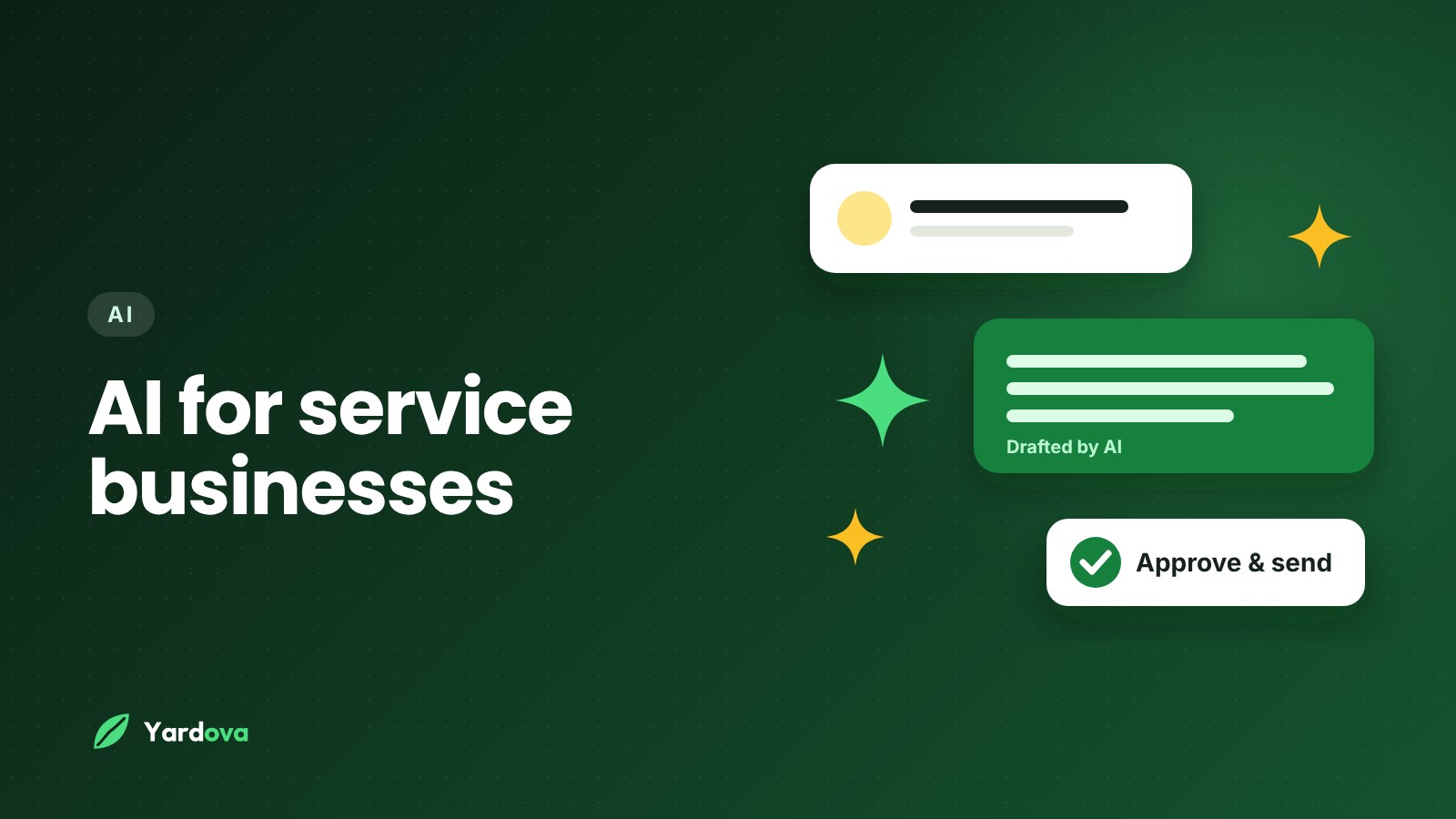
- For each one, it drafts a short, personal follow-up message using the customer's name and job details.
- You review the drafts over coffee, edit any you want and approve the rest.
- Messages go out, and you move on with your day.
Ten minutes of review replaces an hour of writing, and more importantly, the follow-ups actually happen. If you only adopt one use of AI for service businesses, make it this one.
Examples of AI follow-up messages
A follow-up on an unanswered quote might look like this:
Hi Dana, just checking in on the quote we sent for the backyard cleanup at 12 Oak Street. Happy to answer any questions or adjust the scope if needed. We have openings next week if you would like to get on the schedule.
And for an overdue invoice:
Hi Mark, a quick reminder that the invoice for last Tuesday's gutter cleaning is still open. You can pay here: [link]. Thanks again for having us out.
Good AI follow-ups are short, friendly and specific. If a draft sounds generic or pushy, edit it or reject it. You stay the final say on tone.
Using an AI quote generator without losing control of pricing
Quoting is one of the most time-consuming parts of running a service business, and one of the most important. An AI quote generator can save real time, but only if it works from your prices, not its own guesses. This is where AI for service businesses needs the firmest guardrails, because a wrong number on a quote is a promise you may have to keep.
How AI quote drafting should work
The best setup looks like this:
- You describe the job in plain words, such as "weekly mowing, half acre, plus haul away a brush pile."
- The AI drafts itemized line items using your own saved price list and notes.
- You review the draft, adjust quantities or prices and add anything it missed.
- You send the quote by text or email, and the customer approves it online.
The time savings come from not starting with a blank page. A quote that used to take 15 minutes at the kitchen table can take a minute or two to check and send.
Where to be careful
- Never let AI invent a price. If the job includes something that is not on your price list, the AI should flag it for you rather than guess.
- Check measurements and quantities. AI works from what you tell it. If the description is vague, the quote will be too.
- Keep your pricing logic yours. Travel fees, dump fees, minimums and seasonal pricing should come from your own rules.
For the fundamentals of a quote that wins the job, read how to write a quote for a service business. If you run junk removal, our guide on how to price junk removal covers building a price list the AI can work from.
An AI assistant for small business admin: ask in plain English
A lot of software forces you to learn where everything lives: which menu has unpaid invoices, which screen lets you move a job, which button adds a lead. An AI assistant flips that. You just ask.
Examples of plain-English requests
Here are the kinds of everyday tasks an assistant can handle:
- "Who still owes us money?"
- "Add Dana Lee as a lead at 12 Oak Street, she wants a fall cleanup."
- "Move the Smith job to Friday."
- "Schedule a mow at 44 Pine Street for Monday morning."
- "Draft a quote for a two-car garage cleanout."
- "Write a text to the Johnsons letting them know we are running about an hour late."
This matters most for owners who are on their phones in a truck between jobs. Typing or speaking one sentence is faster than navigating five screens with dirty hands.
Tips for getting good results
- Be specific about names, addresses and dates.
- Check anything that changes the schedule or money before it is final.
- Keep your customer notes and price list up to date, since that is what a well-built assistant works from.
AI for crews and customers who speak different languages
Many home-service businesses have crew members and customers who are more comfortable in Spanish or Portuguese than English. Language gaps cause real problems: misunderstood instructions, missed details on a job and customers who feel they cannot ask questions.
How AI helps bridge the gap
- For customers: messages can be written in each customer's preferred language, so a Spanish-speaking homeowner gets reminders and follow-ups they can read easily.
- For your team: each crew member can work in their own language, while the owner reads everything in theirs.
- For you: you do not need a bilingual office manager to serve a bilingual market.
This is one area where AI does something that would otherwise require hiring. For many cleaning, landscaping and painting companies, it opens up customers you may have been underserving. It is one of the most practical uses of AI for service businesses in mixed-language neighborhoods, and it helps crews understand job notes and checklists the way the owner meant them.
The risks of AI for service businesses: what to watch out for
Not all AI tools are built with small businesses in mind. Some were built for large companies or for general use, then bolted onto other products. Before you let any AI talk to your customers, think through these risks.
Making things up
General-purpose AI can produce confident answers that are simply wrong. In a service business, that might look like quoting a price you never set, promising a Saturday slot you do not have or claiming you offer a service you do not. Any of those can cost you money or a customer. The fix is AI that only uses your own records and notes, and says "let me check" when it does not know.
Losing control of what customers see
If AI sends messages without anyone reviewing them, you have handed your reputation to software. Look for tools where anything written to customers waits for your approval by default, and where any auto-reply feature has clear limits.
Exposing information to the wrong people
Your crew probably should not see your prices, profit margins or full customer list. If your AI assistant can answer any question for anyone on your team, it can leak information your permissions were meant to protect. AI should follow the same access rules as the rest of your software.
Paying extra for something that should be built in
Some software charges a separate subscription just to turn AI on, or sells it as an add-on from a different company. That means another bill, another login and another tool that does not fully understand your data.
Texting rules and customer consent
Automated texting is subject to rules about consent and opt-outs. Get permission from customers before texting them, honor opt-out requests and check the current requirements where you operate. AI does not change those obligations.
An AI checklist for small business owners
When you compare AI tools for home service businesses, the marketing will all sound similar. Use this checklist to evaluate any AI tool before you use it with customers:
- Does it only use facts from my own records, notes and price list?
- Will it refuse to invent prices or confirm appointments on its own?
- Do messages to customers wait for my approval by default?
- If it can reply by itself, does it hand the conversation back to me?
- Does it follow my team's roles and permissions?
- Can it write to customers in their preferred language?
- Is it built into the software I already use, or is it a separate tool?
- Is it included in my plan, or is it an extra charge?
- Can I see everything it drafted and sent?
- Does it save me real time on leads, follow-ups or quotes, not just generate text?
If a tool fails the first four questions, be very careful about letting it near your customers.
How to roll out AI in your business step by step
You do not need to change everything at once. The best way to use AI in a contracting or home-service business is to start small, where the risk is low and the payoff is obvious.
- Clean up your data first. Make sure your customer list, services, price list and notes are accurate. AI is only as good as what it works from.
- Start with follow-ups. Let AI draft daily follow-ups for unanswered quotes, overdue invoices and new leads. Review and approve each one.
- Add quote drafting. Use AI to draft quotes from job descriptions, and check every line before sending.
- Use the assistant for admin. Try plain-English requests for looking up balances, adding leads and moving jobs.
- Turn on voicemail-to-lead. Let AI turn voicemails into lead records you can review.
- Add other languages for customers and crew who prefer them.
- Only then consider auto-replies. Once you trust the drafts, you might let AI answer simple texts on its own, with a clear handoff back to you.
- Review monthly. Look at what the AI drafted, what you changed and what results you got. Adjust from there.
This order keeps you in control while you learn what the AI does well for your particular business. Rolling out AI for service businesses this way also makes it easier for your crew to trust it, because they see it saving time before it ever talks to a customer on its own.
How Yardova's AI is different
We built the AI in Yardova around the risks above, because we think AI for service businesses should act like a careful office assistant, not a loose cannon.
- You approve what goes out. Anything the AI writes to a customer waits in an Approvals list until you send it. On the Pro plan, you can turn on auto-replies for texts, and the AI hands the conversation back to you after a few replies.
- It never invents facts. It only uses your own notes and records. It will not make up prices and will not confirm appointments on its own.
- It respects permissions. Each team member's assistant sees only what that person is allowed to see. If a crew member cannot see prices, the AI will not show them.
- It is built in. AI actions are included in every paid plan, with no separate subscription.
- It speaks your customers' language. English, Spanish and Portuguese can be set for each team member and each customer.
- It follows up daily. Every day it drafts follow-ups for unanswered quotes, overdue invoices and leads nobody has contacted.
- It turns voicemails into leads, with the details filled in.
- It drafts quotes from a description, using your own notes and records, ready for you to check and send.
- It takes plain-English requests, like finding who owes money, adding a lead, scheduling or moving a job, or drafting quotes and texts.
Frequently asked questions
How can AI help a small service business?
AI can help a small service business by handling repetitive office work: drafting follow-ups on quotes and unpaid invoices, turning voicemails into leads, drafting quotes from a job description and answering plain-English requests like "who owes us money?" The biggest wins usually come from follow-ups that would otherwise never get sent. It works best when a person reviews what it writes.
Is AI safe to use with my customers?
AI is safe to use with customers when it only works from your own records and a person approves what it sends. The main risks are AI inventing prices or promises and messages going out without review. Choose tools that require approval by default and refuse to make things up.
Will AI replace my office manager?
AI will not replace a good office manager, but it can take a lot of repetitive work off their plate or yours. It drafts, sorts and reminds, while people still make decisions about pricing, scheduling and customer relationships. For owners without office help, it can cover tasks that otherwise would not get done at all.
Can AI write quotes for my service business?
Yes, AI can draft quotes from a short description of the job, as long as it works from your own price list. You should always review the line items and totals before sending. AI that guesses prices you never set should be avoided.
What is the best way to use AI for a lawn care business?
The best way to use AI for a lawn care business is to start with daily follow-ups on unanswered quotes and overdue invoices, then use it to draft quotes and handle admin requests from your phone. These tasks are repetitive and easy to forget during busy season. For more on growing a route, see our guide to getting more lawn care customers.
Does AI cost extra in field service software?
It depends on the software. Some products charge a separate subscription or add-on fee for AI, while others include it in their regular plans. Check exactly which AI features are included at each plan level before you sign up.
Wrap-up: AI for service businesses that earns its keep
The best AI for service businesses is not flashy. It catches leads you would have missed, follows up on every quote and invoice, drafts the paperwork you would rather skip and works in your customers' language. Just as important, it never makes things up, never acts without your approval and never shows your team more than they should see.
If that is the kind of AI you want, Yardova has it built in. Start a free Yardova account, compare plans and pricing to see which AI features come with each plan, or book a demo and we will show it working on your kind of business. For more ways to grow, read how to get more lawn care customers and how to get paid faster, or see our lawn care software and cleaning business software pages.