CRM for Small Service Businesses: What Actually Matters
How to choose a CRM for small service businesses: must-have features, what it should cost, setup steps, and a checklist to use before you sign up.
The Yardova team · 28 de octubre de 2026 · 14 min de lectura
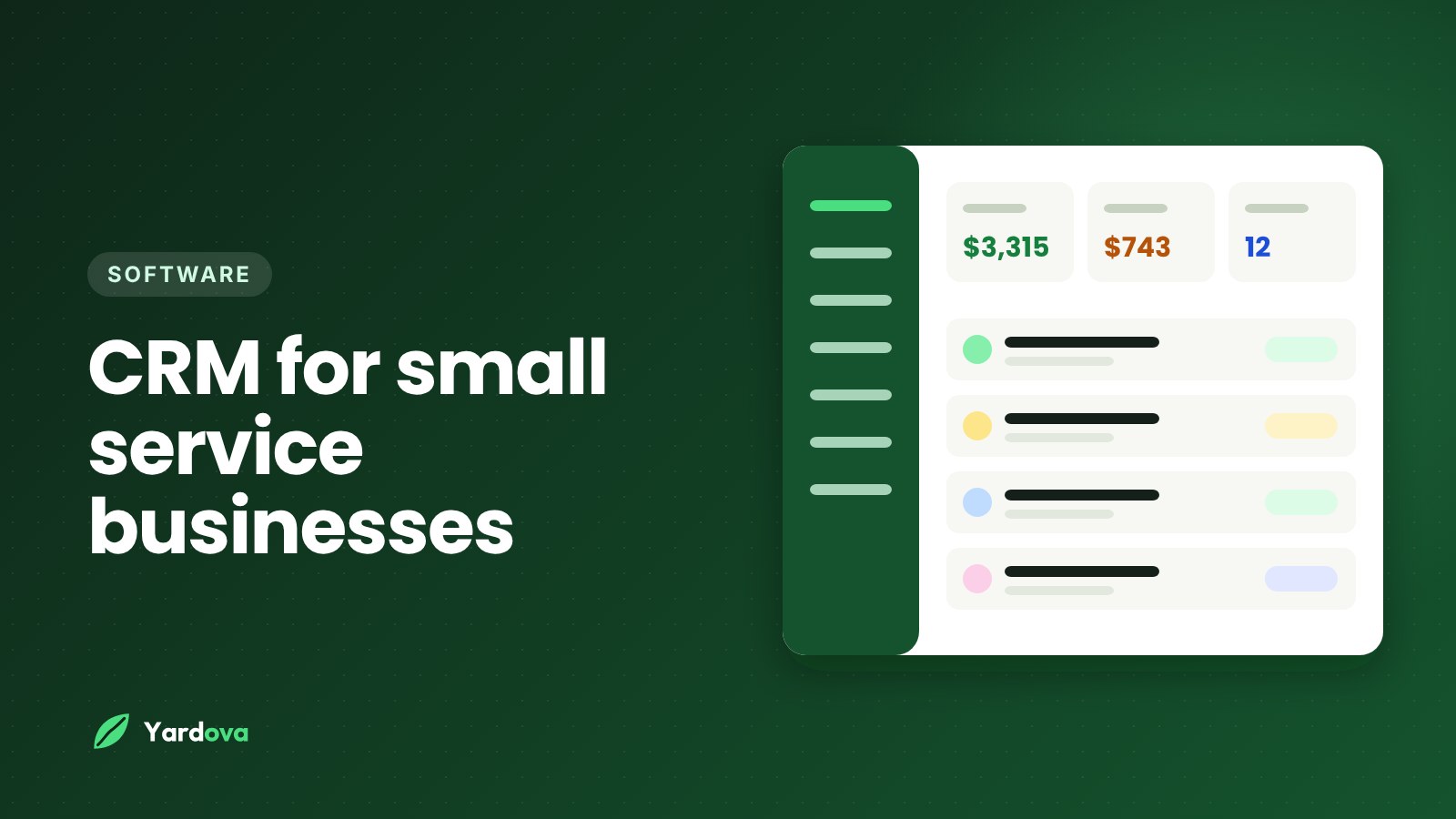
If you're shopping for a CRM for small service businesses like yours, the choices can feel overwhelming. A lot of the big names were built for sales teams sitting at desks, not for crews in trucks. The right software for a lawn care, cleaning, junk removal or handyman business looks different. It has to run on a phone, handle quotes and invoices, keep the schedule straight, and be simple enough that your crew actually uses it.
This guide walks through what a CRM should do for a home service business, which features matter and which you can skip, what it should cost, and how to switch without losing customers or your mind. There's a checklist near the end you can use while comparing options.
What a CRM for small service businesses actually does
CRM stands for customer relationship management. In plain terms, it's one place that holds everything about your customers and the work you do for them.
For an office sales team, that means tracking calls and deals. For a home service business, it means a lot more:
- Who your customers are, where they live, and how to reach them
- What you quoted them and whether they said yes
- When their next job is scheduled and who's going
- What you did on each visit, with notes and photos
- What they owe and whether they've paid
- When you last talked to them and what about
The point of a CRM is that you stop keeping this in your head, your text messages, a notebook in the truck, and three different spreadsheets. When it's all in one place, you can answer a customer's question in ten seconds instead of digging for ten minutes.
Why generic CRMs don't fit service work
Many general-purpose CRMs are built around a "sales pipeline": leads become deals, deals close, done. That's not how your business works. For a service company, the sale is just the start. After the yes, you still have to schedule the job, send the crew, do the work, invoice, collect, and ideally book the next visit.
A CRM for small service businesses needs to handle that whole cycle, not just the first part. That's why most owners end up with something closer to field service software than a classic sales CRM.
Signs you've outgrown the notebook and spreadsheet
Plenty of businesses run for years on paper, a phone calendar and a spreadsheet. That's fine until it isn't. Here are common signs it's time for a real system:
- You've forgotten to follow up on a quote and later found out they hired someone else.
- You've double-booked a crew or sent someone to the wrong address.
- You can't quickly answer "who owes me money right now?"
- Customer details live in your personal texts and nobody else can see them.
- You spend evenings typing invoices instead of being home.
- A crew member calls you five times a day asking where they're going next.
- You can't tell which marketing actually brings in customers.
- You're nervous about taking a week off because everything is in your head.
If three or more of those sound familiar, a CRM for small service businesses will likely pay for itself in time saved alone, before you count any extra jobs you win.
CRM vs field service software: what's the difference?
You'll see both terms when you search. Here's the practical difference.
Classic CRM
A classic CRM focuses on contacts, leads and sales activity. It's good at tracking who you talked to and where a deal stands. It usually doesn't handle scheduling crews, job checklists, invoicing or taking payments without add-ons.
Field service software
Field service software focuses on the work itself: scheduling, dispatching, routes, job details, photos, invoices and payments. Some older tools in this category are weaker on lead follow-up and customer communication.
What you actually want
For a 1-15 person crew, the best fit is usually a field service CRM that does both: catches and follows up on leads like a CRM, and runs the jobs like field service software. When you're comparing, don't get hung up on the label. Look at whether the tool covers the whole path from first call to paid invoice.
Must-have features in a CRM for small service businesses
These are the features that make a CRM for small service businesses worth paying for. If a tool is missing several of these, keep looking.
Lead capture from every source
Leads come from phone calls, texts, your website, your Google profile, Facebook and lead sites. A good CRM pulls them into one list so nothing gets lost. Bonus points if it catches missed calls and sends a quick text back, since many callers won't leave a voicemail. Our post on why missed calls cost service businesses jobs explains why this matters so much.
Fast quotes customers can approve online
You should be able to build a quote from your phone in a couple of minutes, using saved prices for services you do often. The customer should get it by text or email and be able to approve it with one tap. Optional deposits at approval help cut no-shows on bigger jobs. For tips on writing the quote itself, see how to write a quote for a service business.
Scheduling that handles recurring work
Lawn care, cleaning, pool service and pest control live on repeating jobs. Your CRM should handle weekly, every-other-week and monthly visits without you re-entering them. Look for:
- A calendar that shows each crew in a different color
- The ability to put multiple people on one job
- A daily list of stops in driving order
- Easy drag-and-drop or quick rescheduling when weather hits
For a deeper look, read our guide to crew scheduling for service businesses.
Customer texting built in
Your customers text. Your CRM should let you text from a business number, keep the full conversation history attached to the customer, and send automatic messages like booking confirmations, day-before reminders and "on my way" texts. Those automatic reminders alone can cut down on locked gates and "I forgot you were coming."
Invoicing and online payments
Invoices should go out by text or email right after the job, with a link to pay by card or mobile wallet. Saved cards and autopay are a big deal for recurring customers. Automatic payment reminders mean you don't have to be the bad guy chasing money. More on this in our post on how to get paid faster.
A mobile app your crew will actually use
If it doesn't work well on a phone, it doesn't work. Your crew should be able to see their jobs, get directions, check off a checklist, take before and after photos, and clock in and out without calling you.
Roles and permissions
Not everyone needs to see everything. Crew members usually should see only their own jobs and not your prices or revenue. Office help might need to see invoices but not change pricing. Make sure the tool lets you control this.
Basic reports
You don't need fancy dashboards. You do need to know your revenue, who owes you money, and where your leads come from. That last one tells you where to spend your marketing money.
Nice-to-have features (and what you can skip)
Some features are useful but not essential when you're choosing your first system.
Worth having if the price is right
- Review requests: Automatically asking for a Google review after each job builds your reputation on autopilot. See how to get more Google reviews.
- AI help: Drafting quotes from a description, writing follow-up texts, or answering "who hasn't paid?" in plain English can save real time. Just make sure anything it writes to customers waits for your approval unless you choose otherwise.
- Multiple languages: If your crew or customers speak Spanish or Portuguese, being able to use the app and send messages in their language is a big help.
- Lead site connections: If you buy leads from sites like Thumbtack or Angi, connecting them directly saves copying and pasting.
Usually safe to skip
- Complex sales pipelines with a dozen deal stages
- Marketing email builders with fancy templates
- Inventory management, unless you sell a lot of parts
- Custom report builders you'll never open
- Anything that requires a consultant to set up
More features usually means more to learn, more to pay for, and more for your crew to ignore. Pick the tool that does the core jobs well.
How much does a CRM cost for a small service business?
Pricing for a CRM for small service businesses varies a lot, so it helps to know how it's usually structured before you compare.
Common pricing models
- Free plans: Some tools offer a limited free plan, often capped by number of customers or users. Good for trying it out or for very small operations.
- Flat monthly tiers: You pay a set monthly price for a plan with a certain number of users and features. Easy to budget.
- Per-user pricing: You pay for each login. Can get expensive as your crew grows.
- Add-ons: Some tools charge extra for texting, payments, routing or AI. Read the fine print.
- Payment processing fees: If you take cards, there are processing fees on each payment, usually through a payment company rather than the software itself.
How to think about the cost of a CRM
Instead of asking "is this cheap?", ask "what does it replace and what does it win me?" For example, if a tool costs $100 a month and helps you win one extra job a month that's worth $300, it has paid for itself. If it saves you three hours of invoicing each week, that time is worth something too.
Also count what you might cancel. Many owners find a single system replaces a separate texting app, a scheduling app, an invoicing tool and a spreadsheet or two.
Watch out for these costs
- Setup or onboarding fees
- Long contracts that are hard to cancel
- Charging extra for each crew member who just needs to see their jobs
- Texting limits that run out in busy season
- Paying more to get your own data out if you leave
How to choose the best CRM for your service business: step by step
Here's a simple process for picking the right tool without spending weeks on demos.
- Write down your current headaches. List the three to five things that waste the most time or lose you the most money right now. That's your scorecard.
- List your must-haves. Use the feature list above. Cross off anything that doesn't apply to your trade.
- Pick two or three options to try. Don't compare ten. Look for tools built for home service businesses, ideally ones that mention your trade.
- Test on your phone first. Install it and use it like you would in the truck. If it's clunky on a phone, move on.
- Run a real job through it. Add a real customer, send a quote, schedule it, mark it done, send the invoice. That one test tells you more than any feature list.
- Have one crew member try it. Give them their schedule in the app for a day. Their reaction tells you if adoption will be easy or a fight.
- Check pricing at your size a year from now. If you plan to add a crew, see what that costs before you commit.
- Ask how you get your data out. You should be able to export your customers if you ever leave.
- Pick one and commit. The best CRM is the one you actually use every day.
CRM features checklist: questions to ask before you sign up
Use this checklist when comparing any CRM for small service businesses. If you can't get a clear yes on most of these, keep looking.
- Does it work well on a phone, not just on a computer?
- Can it catch leads from calls, texts, my website and lead sites in one place?
- Does it text back missed calls automatically?
- Can I build and send a quote in a couple of minutes?
- Can customers approve quotes online and pay a deposit?
- Does it handle weekly, biweekly and monthly repeating jobs?
- Can I see each crew's schedule and their stops in order?
- Can crew members take photos and check off job checklists?
- Does it send booking confirmations, reminders and "on my way" texts?
- Can customers pay invoices by card or mobile wallet from a text?
- Does it support saved cards and autopay?
- Can I control what each team member sees, including prices?
- Can I import my customers from a spreadsheet?
- Does it show revenue, unpaid invoices and lead sources?
- Is there a free plan or free trial, and what happens when the trial ends?
- Can I export my data if I leave?
How to switch CRM software without losing customers
Moving to a new CRM sounds painful, but it doesn't have to be. The key is to move in stages instead of all at once.
Week 1: Get your customer list in
Export your customers from wherever they live now: a spreadsheet, your phone contacts, or your old software. Clean up obvious duplicates and missing phone numbers. Then import the list. Most tools accept a spreadsheet with columns like name, phone, email and address.
Week 2: Move your schedule
Add your recurring customers and their repeating jobs. Start with next week's schedule rather than trying to rebuild the whole season. Put your crew on their jobs and have them start using the app.
Week 3: Start quoting and invoicing in the new system
Send every new quote and invoice from the new system. Leave old invoices in the old system until they're paid so you don't confuse anyone.
Week 4: Turn on the automation
Once the basics are working, turn on automatic reminders, missed call text back, review requests and payment reminders. Doing this last means you're not troubleshooting everything at once.
Tips for a smooth switch
- Pick a slower week if you can, not the first week of peak season.
- Tell customers if anything changes for them, like how they'll receive invoices.
- Keep the old system available for a month in case you need to look something up.
- Write down any questions your crew has and answer them all at once.
How to get your crew to actually use the CRM
The most common reason a CRM for small service businesses fails isn't the software. It's that nobody uses it. Here's how to avoid that.
Keep it simple at first
Your crew doesn't need to learn everything. On day one, they need to see their jobs, get directions, and mark jobs done. Add photos and checklists in week two. Add time clock in week three.
Show them what's in it for them
Crews like knowing where they're going without calling the boss. They like having the gate code and notes right there. They like not getting blamed for a job nobody told them about. Lead with those benefits.
Make the app the only source of truth
If you keep texting schedules on the side "just this once," the app becomes optional. Pick a date and stick to it: from now on, the schedule lives in the app.
Use their language
If some of your crew are more comfortable in Spanish or Portuguese, choose a tool that lets each person use it in their own language. That alone can make the difference between adoption and avoidance.
Here's a message you can send your crew
Starting Monday, all jobs, addresses and notes will be in the new app. You'll get a text with your login tonight. Open it before you leave the shop in the morning to see your stops in order. Mark each job done when you finish and snap a quick before and after photo. If anything's confusing, text me and I'll help.
Frequently asked questions
What is the best CRM for a small service business?
The best CRM for a small service business is the one that handles your whole job cycle, from lead to paid invoice, and that your crew will actually use on their phones. Look for lead capture, quoting, recurring scheduling, texting, invoicing and payments in one tool. Test two or three options with a real job before deciding.
Do I really need a CRM if I only have a few customers?
You may not need one with only a handful of customers, but it helps sooner than most owners expect. Once you're juggling repeat visits, follow-ups and unpaid invoices, a free or low-cost plan can save hours and prevent forgotten jobs. Starting early also means your records are already organized when you grow.
How much should a small business pay for a CRM?
A small service business should pay what the tool saves or earns back, and many options range from free plans to a monthly fee based on users and features. Compare what's included, especially texting, payments and the number of logins. Watch for setup fees, long contracts and add-ons that raise the real price.
What's the difference between a CRM and field service software?
A CRM tracks customers and leads, while field service software runs the work itself, like scheduling, dispatch, job details and invoicing. Most home service businesses need both. That's why many owners choose a field service CRM that combines them in one app.
How long does it take to set up a CRM?
Basic setup for a small service business usually takes a few hours to a few days, depending on how organized your customer list is. Importing customers from a spreadsheet is the biggest step. A staged rollout over about a month, adding features one at a time, tends to work better than switching everything at once.
Can my crew use a CRM on their phones?
Yes, and they should, since most of their work happens away from a desk. A good field service CRM lets crew members see their jobs, get directions, take photos, check off tasks and clock in from any phone. Make sure you can limit what they see, such as hiding prices.
Wrap-up: choosing a CRM for small service businesses that sticks
The right CRM for small service businesses isn't the one with the most features. It's the one that catches every lead, makes quoting and scheduling fast, gets you paid, and works on the phone in your truck. Start with your biggest headaches, test with a real job, and roll it out in stages so your crew comes along.
If you want to see one built for this kind of work, Yardova covers leads, missed call text back, quotes with online approval, recurring scheduling, crew permissions, invoices and payments in one app that works on any phone. There's a free plan with no card needed, and paid plans come with a 30-day free trial. You can start a free Yardova account, compare plans and pricing, or book a demo. Running a specific trade? Check out our pages for lawn care software and cleaning business software.