Tree Service Estimate App: From First Call to Signed Job
How to use a tree service estimate app to book estimate visits, quote on site, send before you leave, follow up, and turn approvals into jobs.
The Yardova team · 4 de noviembre de 2026 · 16 min de lectura
A tree service estimate app is only worth paying for if it moves a job from the first phone call to a signed estimate faster than a notepad, a calendar and your memory. Most tree companies do not lose work because their number was wrong. They lose it because the call went to voicemail, the visit got pushed twice, the quote showed up three days later, or nobody followed up.
This guide covers that workflow, from "I've got a tree I need looked at" to an approved estimate with a deposit, and how that approval becomes a job your crew can run without calling you.
For the pricing side, meaning crew-hour costs, size bands and removal examples, read our separate guide on the best app to price tree work. This post assumes you already have a price list and focuses on everything around it.
What a tree service estimate app should handle
Estimating looks like one task: look at the tree, write a number. In practice it is a chain of small steps, and a break anywhere in the chain costs you the job.
- Lead capture. The call, text, web form or referral is recorded with name, number, address and request.
- Booking the visit. The appointment lands on a calendar, grouped with other visits nearby.
- The site visit. You walk the property and record hazards, access, drop zone, photos and notes.
- Building the estimate. You pick line items from a saved price list on your phone, with options.
- Sending it. The customer gets it by text or email before you leave the driveway.
- Approval and deposit. They approve online in one tap and pay a deposit if required.
- Follow-up. Unanswered estimates get a nudge at set times, not whenever you remember.
- Hand-off. The approved estimate becomes a scheduled job with a crew checklist.
A good tree service estimate app keeps all of this in one record per customer. When someone calls back two weeks later, you should see the original request, your visit notes, the photos, the estimate and every message in one place.
Two companies can charge the same price and close very different numbers of jobs. The one that answers faster, shows up on time, sends a clear estimate the same day and follows up politely usually wins.
Capturing the lead and booking the estimate visit
The estimate starts the moment the phone rings, and for tree companies it often rings while you are 40 feet up.
Answer fast, or text back automatically
A homeowner with a cracked limb over the driveway will call the next company if nobody picks up. At minimum, call back within the hour. Better, set up an automatic text that goes out when you miss a call.
Hi, this is Oak Hollow Tree Service. Sorry we missed your call, we're probably up in a tree. Can you text us your address and a quick description of the work you need? We'll get back to you today to set up a free estimate.
We cover this in depth in how missed calls cost service businesses jobs.
Questions to ask on the first call
Do not price the job over the phone. Do collect enough to plan the visit:
- What is the address, and how many trees?
- Removal, trimming, stump grinding, or a look at something that worries you?
- Is anything close: house, garage, fence, pool, power lines?
- Is it urgent, such as a tree on a roof or a limb over a walkway?
- Do you need to be home, and are there locked gates or dogs?
- How did you hear about us?
Save the answers to the customer's record, not a sticky note. The last question matters later, when you check which lead sources produce approved work.
Also ask for a couple of wide photos with the house or fence in frame. They help you bring the right gear and spot jobs you do not do. They do not replace the visit for anything near a structure or lines.
How to schedule estimate appointments by area
Driving is the hidden cost of estimating. Five visits spread across the county can burn half a day.
- Split your service area into zones by direction, town or ZIP code.
- Assign estimate days to zones, for example Tuesday mornings north, Thursday mornings south.
- Offer two specific windows in the customer's zone instead of "when works for you?"
- Cap estimate slots per day so estimating does not eat job time.
- Keep one flex slot for storm work and urgent requests.
- Run the day's stops in driving order.
Send a confirmation right away, a reminder the day before, and an "on my way" text when you leave the previous stop.
Hi Karen, confirming your free tree estimate Thursday between 9 and 11 a.m. at 214 Birch Lane. You don't need to be home, but if you'd like to walk the yard with us, we'll text when we're on the way.
What to do on site during a tree estimate
The site visit is where you earn trust and gather everything the crew will need. Treat it as a routine.
The walkaround
Walk the whole property before you talk numbers. Look at every tree mentioned and the ones around it. Customers often remember a second tree once they see you looking, and it is better to add it now than quote twice.
Explain what you see in plain language. "This limb is dead and it's over your bedroom" helps more than species names. Confirm which trees are removed, which are trimmed and which stay.
Hazards and access
Note anything that changes how the job is done:
- Dead, cracked or decayed wood, and lean toward a structure
- Hung-up limbs or storm wood under tension
- Power lines, service drops and cable lines
- Gate width and whether the chipper or grinder fits
- Slope, soft ground, septic fields and irrigation heads
- Where the truck and chipper will park
- Whether ground mats are needed
For anything near power lines, write it down and check current local rules before committing to a date. In many cases the utility or qualified line-clearance workers must be involved.
Drop zone and targets
Every removal and most trims need a plan for where wood comes down. List the targets, meaning anything that could be damaged: roof, gutters, deck, fence, pool, cars, garden beds, a neighbor's shed.
Write them by name in your tree service estimate app. "Pool fence 10 feet east of drop zone" tells the crew lead exactly what to protect, and shows the customer you thought about their property.
Notes and photos on the customer's record
Photograph each tree, the base, the access path, the drop zone and the targets. Save them with your notes to the customer's record in your app, not just your camera roll.
One practical point: in many estimating tools, including ours, photos live on the customer or job record, not attached to the estimate itself. That works fine. The estimate tells the customer what you will do and what it costs; the record holds what the crew lead opens on job day. Just write scope that stands on its own, such as "Remove the dead silver maple at the back left corner of the house, closest to the garage."
Tree estimate site visit checklist
- Every tree in scope identified in words
- Trees staying, and any the customer declined
- Hazards noted, including lines
- Access path and parking checked
- Drop zone and targets listed by name
- Photos of trees, access and targets
- Debris plan: chip, haul, leave rounds, or split and stack
- Stumps to grind
- Permit or HOA question flagged, and who handles it
- Notes saved to the customer's record before you leave
Building the estimate on your phone with a tree service estimate app
Build the estimate right there, in the truck if you need a minute. Every hour between the visit and the estimate is an hour for the customer to call someone else.
Work from a saved price list
Typing prices from memory on a phone is slow and error-prone. Set up your standard line items once, such as removal bands, trimming scopes, hazard and access adjustments, haul-off and stump grinding, then pick and adjust on site.
How you set those numbers is a separate topic. Our guide to pricing tree work with an app covers it in detail, and how much to charge for stump grinding covers per-inch rates. The point here is speed and consistency: the same tree gets the same price whether you or your foreman writes it.
Write scope the crew can follow
Write the estimate so the customer and crew read it the same way. Name the tree, location, work and cleanup:
- "Remove the 50-foot pine at the front right of the driveway. Chip all brush. Leave logs in rounds by the street."
- "Trim the oak over the back deck: remove deadwood over 2 inches, raise canopy to 12 feet, clear 6 feet off the roof."
- "Grind one stump in the front lawn 6 inches below grade. Excess grindings hauled away."
Add a "not included" line where confusion is likely, such as "Does not include the two cedars along the fence." For wording and layout, see how to write a quote for a service business.
Good, better and best tree estimate options
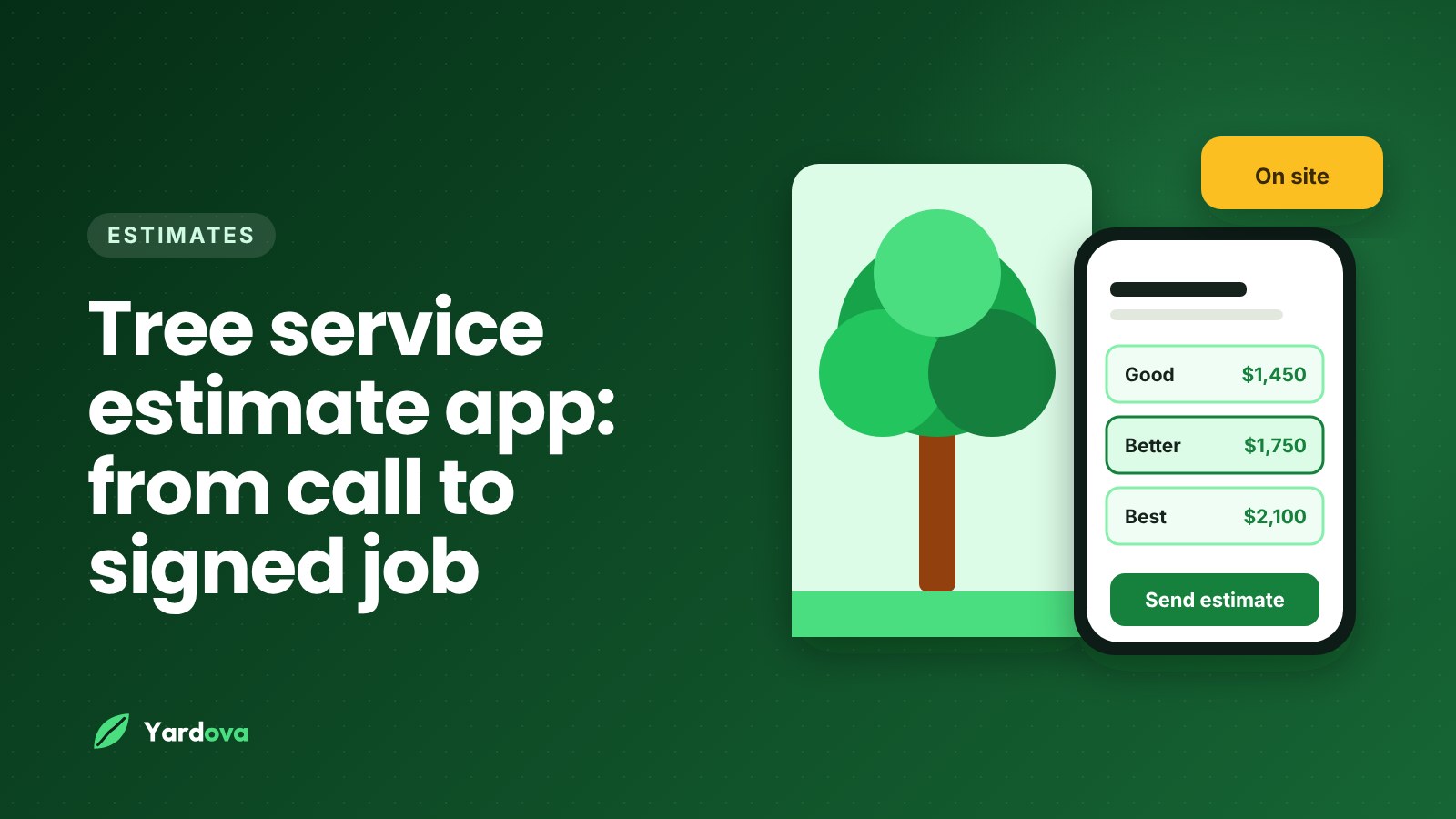
One take-it-or-leave-it number forces a yes or no. Three options turn it into "which one." For tree work:
- Good: Remove the tree, chip brush, leave logs on site. Stump stays.
- Better: Remove the tree, haul all wood away, grind the stump.
- Best: Everything in Better, plus trim two neighboring trees for clearance.
Each option should be a complete, safe job. Never build a cheap option that cuts corners on safety.
Tree service estimate template
A clear estimate has your logo and contact info, the customer and job address, the date and how long the price holds, line items in plain words, options, the deposit amount, notes on permits or weather delays, and an obvious approve button.
Sending the estimate before you leave the driveway
The best time to send is while you are still parked out front. The customer just met you and is thinking about the tree right now. If the estimate arrives before you turn the corner, you are ahead of every company that "will email something tonight." Tell them it is coming:
Karen, I just sent the estimate to your phone. There are three options in there. You can approve whichever one you want right from the link.
One-tap approval
The customer should open a link, choose an option and approve, with no printing, signing and scanning. Every extra step is a place for the job to stall. A tree service estimate app that makes customers reply with a signed PDF adds friction you do not need.
Tree estimate deposit at approval
For large removals, crane jobs and rented equipment, ask for a deposit when the customer approves. It confirms commitment and covers costs you carry before the job. Collecting it on the approval screen means no chasing it later. A deposit of around 25 percent is common on bigger jobs, while small trims often skip it. Pick a policy and apply it every time.
Estimate follow-up timing and sample messages
Plenty of estimates are not lost to a cheaper bid. The customer means to reply and forgets. A polite follow-up at set times brings many back, as long as you decide the timing in advance.
A simple follow-up schedule
An example schedule, adjusted to your market and season:
- Same day: The estimate goes out before you leave.
- Day 2 or 3: A friendly check-in.
- Day 7: A second check-in that mentions scheduling.
- Day 14 to 21: A final, low-pressure message.
After that, mark it lost or on hold and note why if you know. If your tree service estimate app can flag unanswered estimates each day, this schedule runs itself.
Follow-up text examples
Day 2 or 3:
Hi Karen, it's Mike with Oak Hollow Tree Service. Just checking the estimate for the maple by your garage came through okay. Happy to answer any questions, and you can approve right from the link whenever you're ready.
Day 7:
Hi Karen, Mike again. We're booking removals about two weeks out right now. If you'd like the maple on the calendar, approve the option you want from the link and we'll send you a date.
Final message:
Hi Karen, I won't keep bugging you about the maple. If you decide to go ahead later, or the tree changes after a storm, just reply here and we'll pick it right back up.
Each message names the job and gives one next step. Do not invent deadlines; if your schedule really is filling up, say so specifically. Follow current texting consent rules in your area, and stop messaging anyone who asks.
Turning an approved estimate into a scheduled job
Tree companies lose goodwill when an approved estimate sits while the customer wonders if you forgot them. Put it on the schedule and send a date. If weather or crane availability is uncertain, give a target week instead of going quiet.
Each job should land on the calendar with the crew assigned, the equipment needed, the estimated hours, and the address with any gate code. For calendars that hold up when it rains, see crew scheduling for service businesses.
Build the crew checklist from your site notes
Your walkaround notes become the crew's checklist. That is why they belong on the customer record: the crew lead should not have to call you from the driveway. For a removal:
- Confirm the tree with the customer: back left corner, closest to garage
- Lay ground mats along the side yard
- Protect the pool fence east of the drop zone
- Park the chipper on the street
- Leave logs in rounds by the curb
- Grind stump 6 inches below grade
- Take before and after photos
- Walk the yard with the customer before leaving
Send a reminder the day before that asks the customer to move cars out of the drop zone and keep pets inside, then an "on my way" text that morning.
Tracking your estimate win rate
You need one simple number: of the estimates you sent, how many got approved?
Once a month, count estimates sent, approved, still open and lost. A tree service estimate app usually shows each estimate's status, so this takes minutes. Divide approved by sent. For example, if you sent 40 and 18 were approved, that is 45 percent. That example only shows the math; your number depends on your market, prices and lead sources.
The number gets useful when you compare it:
- By lead source. Referrals, Google, your website and lead services can close very differently.
- By estimator. If one person closes far fewer, ride along and compare.
- By job type. Winning trims but losing big removals can point to how you present large jobs.
- By speed. Compare estimates sent same day with those sent later.
A very high win rate can mean you are underpriced. A low one is worth checking against speed and follow-up before you cut prices.
Tree service estimate app checklist: features to look for
Judge any tool against the workflow above, not a sales page. A checklist for choosing a tree service estimate app:
- Calls, texts, web forms and lead services in one list, with duplicates merged
- Missed-call text back
- Customer records holding notes, photos, messages and estimates
- Estimate visit scheduling with confirmations and reminders
- Daily stops in driving order
- Saved price list you can adjust on a phone
- Good, better and best options
- Send by text and email with your logo
- One-tap online approval with an optional deposit
- Reminders for unanswered estimates
- Approved estimate to scheduled job without retyping
- Multiple crew per job, checklists, and before and after photos
- Invoicing and card payments
- Crew permissions that hide prices unless you allow them
- Lead source reports
A solo climber needs fast quoting and follow-up most. A company running three crews needs scheduling and checklists most.
Mistakes that lose tree estimates
- Unanswered calls. The customer calls the next company while you are in the bucket.
- Booking visits too far out. A week is long when a limb is cracked over the house.
- Running late without a text.
- "I'll email it tonight." Tonight becomes tomorrow, and the customer signs elsewhere.
- Vague scope. "Trim trees" invites arguments.
- One price, no options.
- Hard approval that requires printing and scanning.
- No deposit on big jobs, so you block a crane day for an uncommitted customer.
- No follow-up. Many estimates are forgotten, not rejected.
- Notes in your head. The crew calls you to ask which tree.
Each is a workflow problem, not a pricing problem. A tree service estimate app helps most by making the right step the easy one.
Step-by-step: how to go from first call to signed tree estimate
- Capture the lead and log it in one customer record.
- Ask the screening questions and request a couple of photos.
- Book the visit by zone with two specific windows.
- Confirm and remind by text.
- Do the walkaround and confirm every tree in scope.
- Note hazards, access, drop zone and targets by name.
- Save photos and notes to the customer's record.
- Build the estimate on your phone from your price list, with clear scope.
- Add good, better and best options where they fit.
- Set the deposit for larger jobs.
- Send it from the driveway and tell the customer.
- Follow up around day 2 or 3, day 7 and a final note later.
- Schedule the approved job with crew, equipment and hours.
- Turn site notes into a crew checklist.
- Review your win rate monthly.
Running the same steps every time is what lets you hand estimating to a foreman later without losing jobs.
Frequently asked questions
What is the best tree service estimate app?
The best one covers your whole workflow on a phone: lead capture, visit scheduling, a saved price list, sending by text, one-tap approval with a deposit, and follow-up. Pricing tools alone are not enough. Judge it by how fast it gets an estimate to the customer and how easily approval becomes a scheduled job.
How soon should I send a tree estimate after the site visit?
Send it before you leave the property whenever you can. The customer is thinking about the job and has just met you. If a job needs more research, such as crane pricing, tell the customer when to expect it and meet that time.
How often should I follow up on a tree service estimate?
A common approach is a check-in around day 2 or 3, another around day 7, and a final message after two to three weeks. Keep each short and name the job. Stop if the customer declines or asks you not to contact them.
Should I charge for tree service estimates?
Most residential tree companies offer free estimates because homeowners expect them. Some charge for detailed assessments, long-distance visits or commercial bids and credit the fee if the customer books. Grouping visits by area keeps free estimates affordable.
Can I attach photos to a tree estimate?
It depends on the app, and many keep photos on the customer or job record instead of the estimate. That works well, because the crew sees the photos on the job and the customer reads clear written scope. Describe each tree's location and work in words.
How do I track my tree estimate win rate?
Count estimates sent and approved each month, then divide approved by sent. Compare the result by lead source, estimator and job type. The comparisons show where to spend effort and money.
Wrap-up: getting more yeses with a tree service estimate app
Estimates are won on workflow as much as price:
- Answer or text back every call and log the lead
- Book visits by area and confirm by text
- Walk every property the same way and record targets by name
- Keep photos and notes on the customer's record
- Build estimates on your phone from a saved price list, with options
- Send before you leave, with one-tap approval and deposits on bigger jobs
- Follow up on a set schedule and track your win rate
Yardova's tree service software covers this chain: missed calls get a text back, estimates come from your saved price list or an AI draft you review, customers approve in one tap with an optional deposit, daily AI follow-up drafts flag unanswered estimates, and approved work goes on the schedule with crew checklists. To set your numbers first, read the best app to price tree work. Then start a free Yardova account, compare plans and pricing, or book a demo and we will walk through a tree estimate with you.